
Mission trip planning, fundraising and live trip management software.
From first plan to final landing.
For churches and mission organizations that send teams around the country and world
- AIreads yourflight emails
- Liveflight updatesfor families
- 0%of donationsgoes to us
- Signedonline waivers,parents included
- 1 to 500+travelers ona single team
- Demotry everyfeature first


Leading a trip shouldn’t bury you.
Scattered everywhere
Flights, forms, rooms and money from dozens or even hundreds of people, with nowhere to see it all.
Always changing
Schedules shift, flights get canceled, someone gets sick and everyone needs the new plan by morning.
Worried something slipped
Chasing who’s raised enough, and the quiet fear that something you missed will surface at the airport.
Papers, emails, texts and spreadsheets everywhere. 501Go puts all the pieces together.
You were called to lead people, not chase chaos.
AI does the typing
Skip the data entry.
- Flight confirmations
Every flight, connection and traveler, with each person’s seat.
- Hotels and transport
Bookings land on the right stop, with times and confirmations.
- Receipts and passports
Amounts in any currency, and passport details read for you.
- Rosters from other apps
Pick a Planning Center list, or upload any app’s export.
Mission control
Your entire mission trip. One app.


Fundraising built in
Raise support. We don’t take a cut.
See what stays with your church or ministry.
On a 15-person trip raising $37,500, a 4 to 5% platform fee takes $1,500 to $1,875. With 501Go, it stays with the trip.
Your church keeps up to
$1,875more
Example only. Card processing is charged on every platform; it isn’t a 501Go fee.
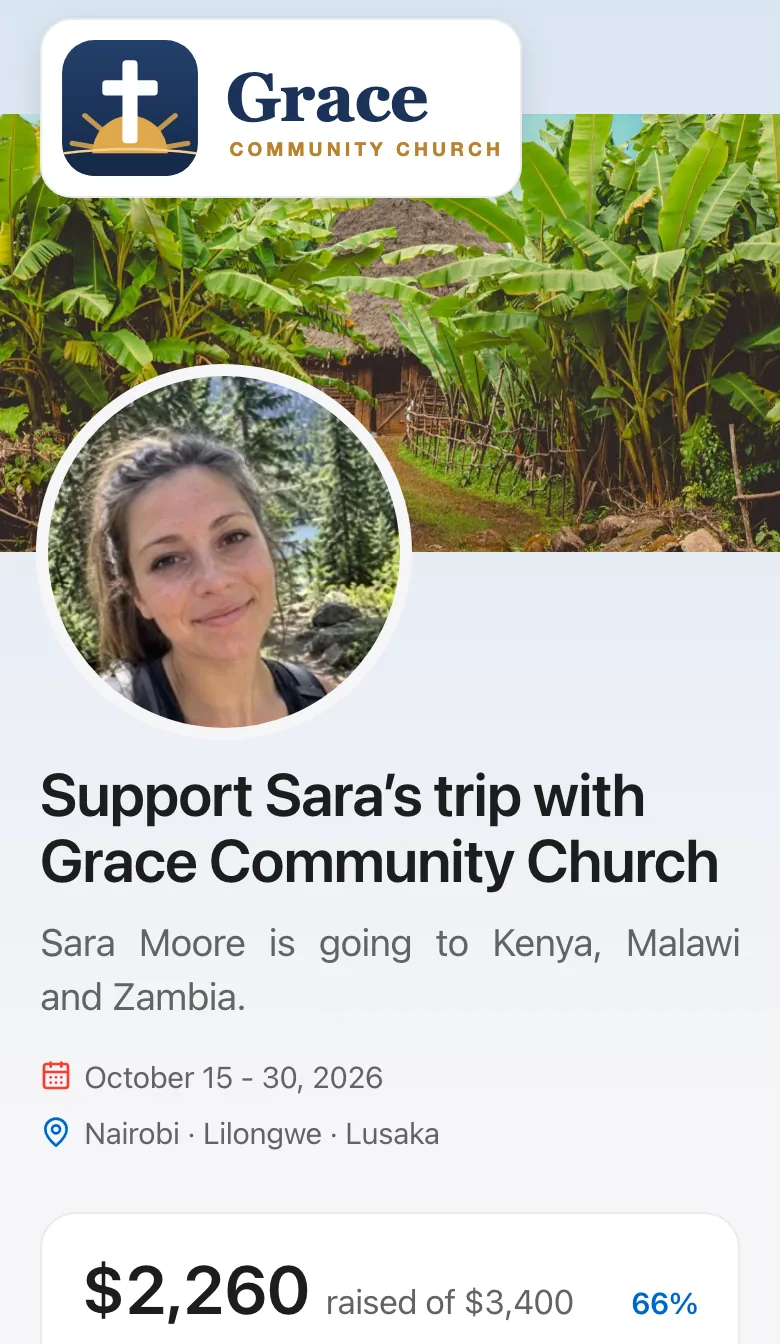
- A page for each traveler
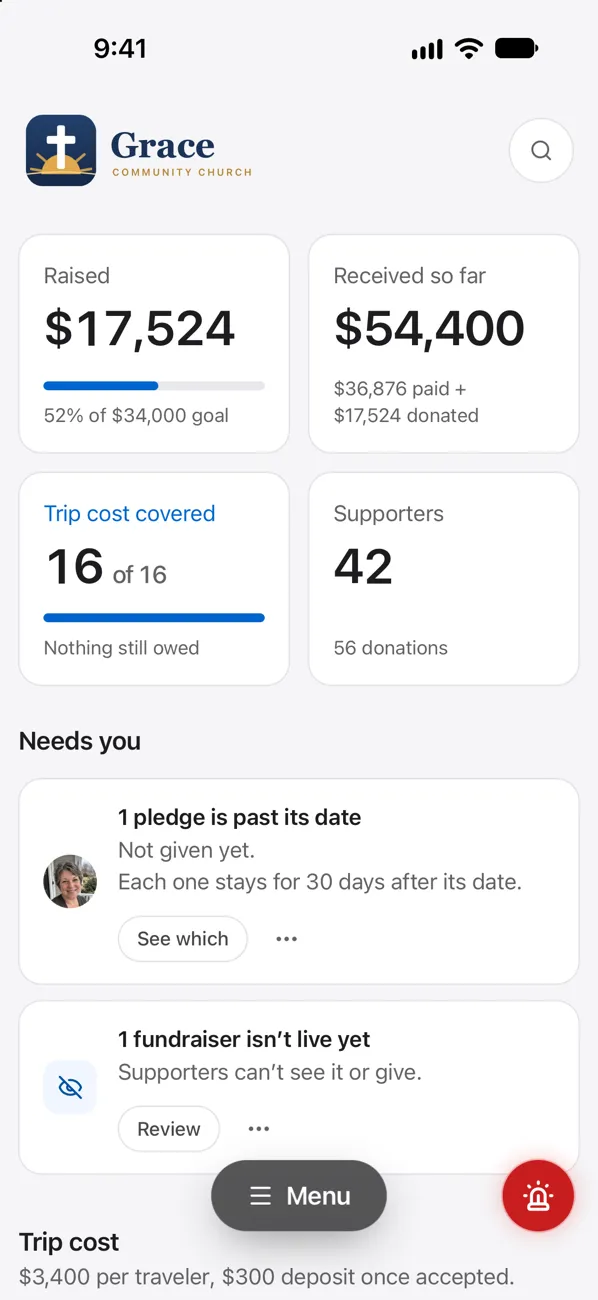
Their photo, story, goal and a live progress bar, with a link and a QR code to share in support letters, emails, texts and bulletins.
- Straight to your church
Donations go directly to your bank account through Stripe. You decide how they’re used, and you send each giver a receipt.
- Giving on the spot
Card, Apple Pay or Google Pay, right beside the traveler’s story, with nothing extra to click through and no account to create.
- Cash and checks count too
Grandma can just mail a check. A leader records it in a few taps, and it counts toward the goal just like any online donation.
- Know who’s behind
Each traveler shows as on track, behind or fully funded against your milestones, so you know exactly who to encourage this week.
- Year-end statements
Each donor opens a private link to see every donation they’ve made and print a record for the year, with no password to remember.
Stripe’s standard card processing applies, and givers can choose to cover it.
No signal? Everything is still there.
- Saved in the iPhone app
Schedule, rooms, rides and every contact number, there for the whole trip.
- Always in step
Changes made on the website reach every leader’s phone within seconds when it’s online.
- Reminders that matter
A nudge before every flight and every ride, plus the morning plan, timed to wherever the team is.
- Dose reminders
A heads-up on your phone each time one is due, with who takes what in Medicines today.
- Locked with Face ID
The app opens only with your face or passcode, so the trip stays private if the phone is lost.
- Just ask Siri
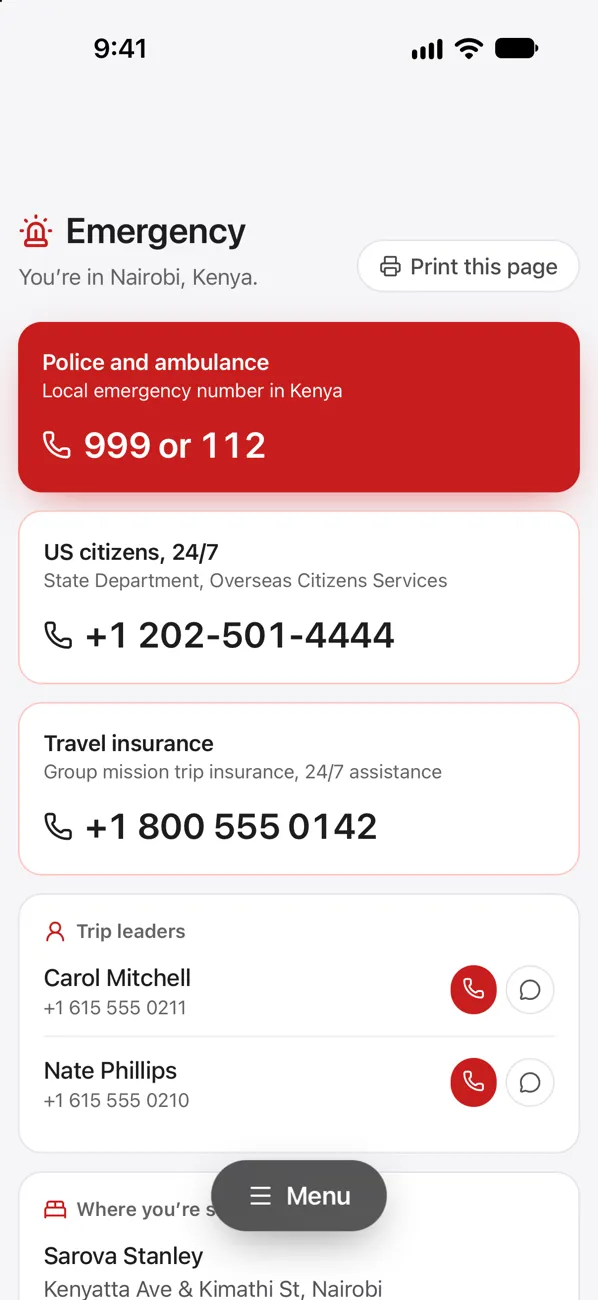
Ask where we’re staying, the next flight, today’s plan or the emergency number, hands-free.
Included for leaders in your church’s plan.On Android? Use the website in Chrome with a connection.
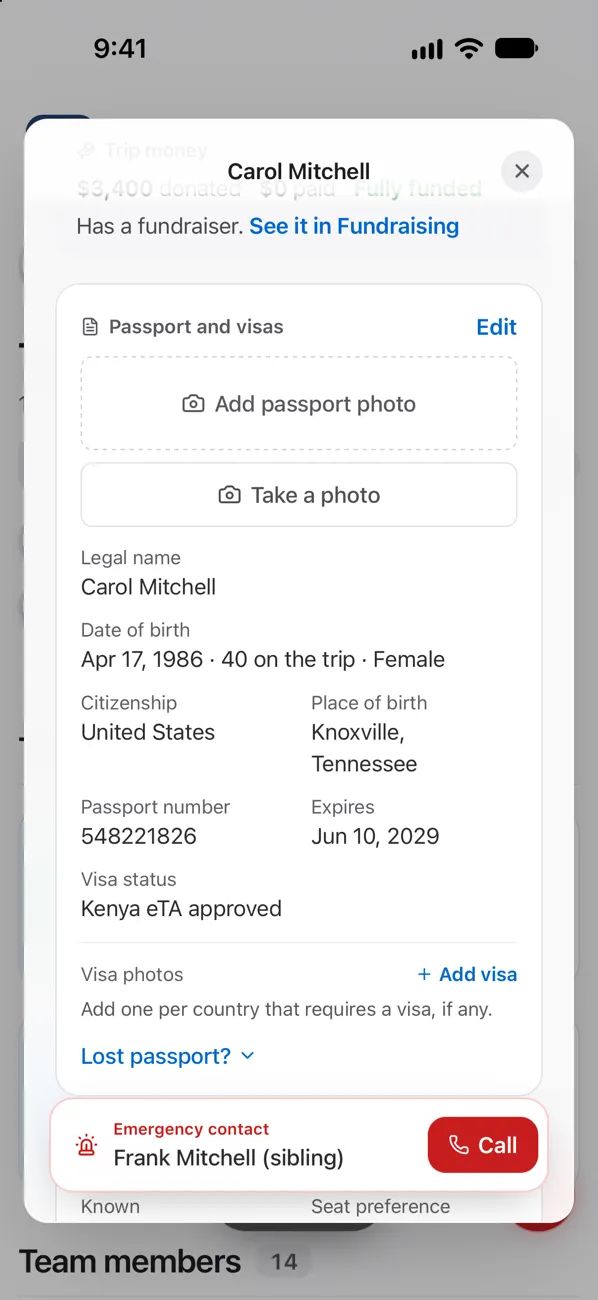
Passports and visas, on the phone
We know what it’s like at the gate with a team.
501Go grew out of the tools a mission organization built for its own teams, planning and leading trips since 2017 and refining them trip after trip. Every feature is there because our leaders needed it on the ground.
Your trip, in 3 simple steps.
Set up your church or organization
It takes about 2 minutes. Invite your other leaders today.
Add your trip and your team
Paste your traveler list and upload the flights. 501Go reads them and fills in the rest.
Go!
You know where the team goes next, so you lead people instead of fielding questions.
If you can send a text, you can run a trip. No training, no manuals, no app required.
Cancel anytime
Still working after takeoff.
Plan together, in one place
- Applications and signed digital waivers
- Shared day-by-day itinerary and calendar
- Any co-leader can step in at any time
- Passports and visas with expiry warnings
- Email the whole team or any group
- A shared prep checklist
Run the trip from your phone
- Flights with live status and seat assignments
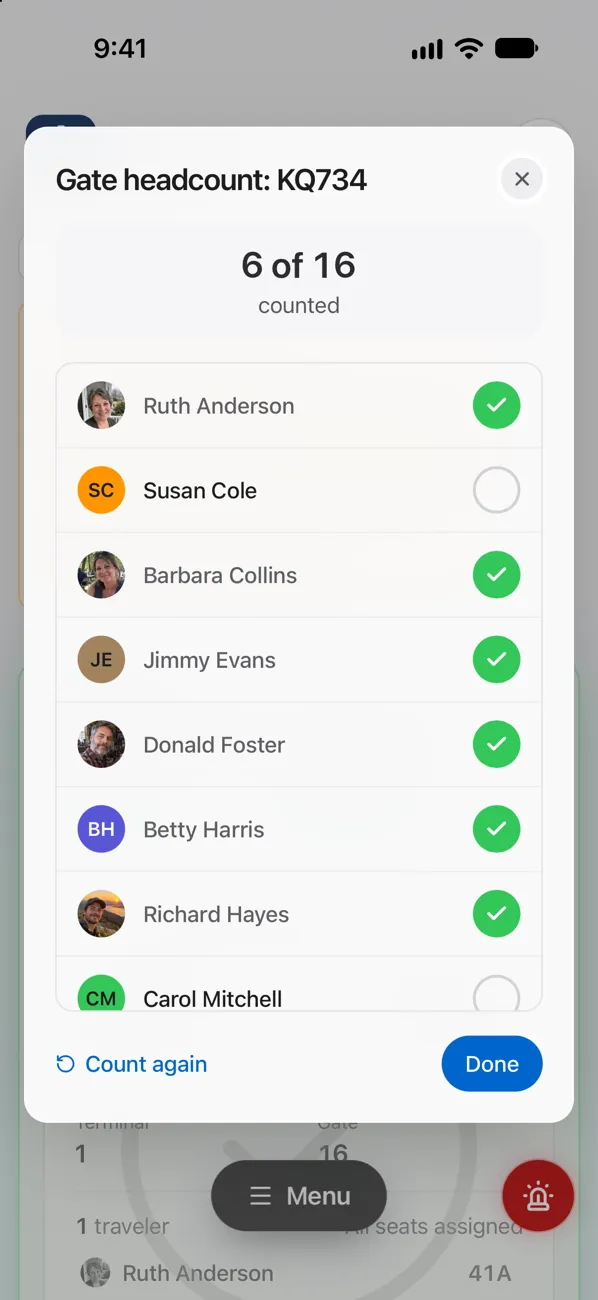
- Headcounts at the gate, bus and lights-out
- Who’s in which room and which vehicle
- An emergency card for every trip leader
- Key local contacts, one tap to WhatsApp
- Lost bag? Its photos, ready for the airline
Close the books cleanly
- Budget vs. actual, converted to dollars
- Spending by category, next to funds raised
- Every receipt photo filed to Dropbox
- A trip report drafted for your supporters
- Every past trip archived while your plan is on
- Start the next trip from your home airport
The essentials, already in place.
Kept apart, kept private
Each church is walled off from the rest. Passports and health notes are seen only by trip leaders, the owner and admins you allow.
Branded for your ministry
Your logo and colors throughout, so travelers and families see your name, not ours.
Works with Dropbox, Google Calendar, Apple Calendar and Outlook.
Pricing
Every feature, however often you go.
Unlimited for one church or ministry
Monthly or yearlyper church, for every trip
- Unlimited trips and travelers
- A fundraiser for every traveler
- AI import of flights, receipts and rosters
- Your church’s logo and colors
The first payment is today. Cancel anytime.
Not sure yet? Try the live demo first
One-trip pass for one church or ministry
Paid onceJust one trip this year? This covers that trip alone.
one payment, no subscription
- One trip, the full app
- Your whole team, any size
- Until 60 days after you’re home (up to 18 months)
- Switch to yearly before it ends: $150 off your first year
Set up your trip and pay in about 3 minutes.
Not sure yet? Try the live demo first
A mission agency or sending organization with dozens of trips a year?Talk to us about organization pricing
The free Mission Trip Planning Timeline
What to do and when, from the first conversation 12 months out to the week after you’re home. 36 steps on one printable page.
Common questions
How does fundraising work, and what does it cost?
Your church connects its bank account through Stripe once. Then every traveler can have their own fundraiser and link, and donations go straight to the church, which sends the receipts. There’s no setup fee and no platform fee. The only cost is Stripe’s processing fee, and givers can choose to add it, so the church’s Stripe account receives the full donation. Stripe pays it out to the church’s bank on its usual schedule. Online giving and trip payments need a US church with an EIN for now. Everything else works for churches anywhere.
How is 501Go different from other mission trip software?
Most mission trip software stops at sign-ups and fundraising. 501Go does both, then keeps going through the trip itself, from the flights to the last receipt. See all features.
We use another app or spreadsheets now. Is switching hard?
No. Upload your traveler list from another app’s export or a spreadsheet, or pick a Planning Center list, and 501Go reads in names, emails, birthdays, passports and emergency contacts. Upload your flight confirmations and every flight and seat fills in, ready for you to check. You can be set up in an evening.
Can I try it before I pay?
Yes. The live demo is a full church account with trips under way, and every feature is there to try, with no sign-up. When you’re ready, choose a plan and start planning the same day.
Do we need someone technical to set it up?
No. There’s nothing to install, and every screen uses plain words. Open the demo to see for yourself.
Can we look back at a trip after it’s over?
Yes. Archive a trip when you’re home and it’s kept exactly as it was: the itinerary, who went, flights and seats, rooms and rides, the budget and its receipts. Open it anytime while your plan is active, or use it to plan next year’s trip. After a plan or pass ends, section 5 of the Terms says how long trips stay and when they’re deleted.
We only run one trip a year. Is there something smaller?
Yes. A one-trip pass is $150, paid once, with no subscription. It unlocks every feature for that trip and its whole team until 60 days after you’re home (at most 18 months after you buy it). Switch to yearly before it ends and we’ll take the $150 off your first year.
Do travelers have to pay?
No. Your plan covers everyone. Each traveler gets an emailed invitation, then signs in with a password or with Google or Apple.
Who can see passport and visa information?
Your church’s owner, the people you mark as Trip Leaders on that trip, and only the admins the owner allows in Settings. Travelers see only their own details, never anyone else’s. You choose Leader or Member when you invite someone, and we ask you to confirm before anyone becomes a Trip Leader.
Does it work when we’re abroad with spotty internet?
Yes. Receipt photos queue on the phone and upload once you’re on wifi, so they don’t eat into international data.
We run a network of sending churches. Is there a plan for us?
Yes! We have plans for denominations and mission networks with many member churches. Write to sales@501go.org and we’ll set yours up.
“Whom shall I send, and who will go for us?” Then I said, “Here I am! Send me.”Isaiah 6:8 (ESV)